 Radial
Every app, one thumb away.
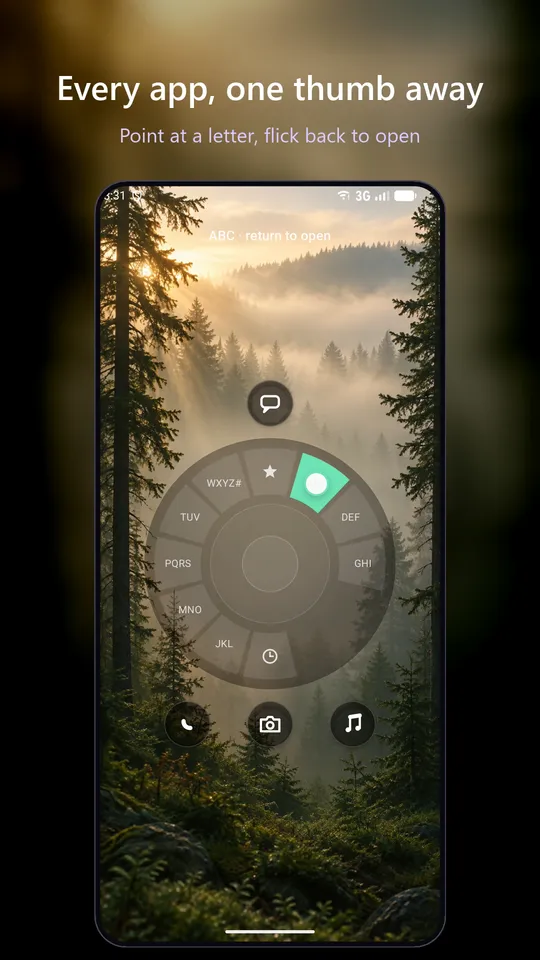
Radial is a one-handed launcher that replaces your Android home screen with a single button. Touch it, drag towards a letter, and your apps fan out around your thumb.
A beautifully simple home screen. No ads, no tracking, no accounts.
Free to install, with 7 days of everything in Pro.
A minimalist launcher: no pages of icons, no hunting.
Your home screen is just your wallpaper and the dial, until you need them.
Touch the button
The dial opens around your thumb, wherever it rests.
Point at a letter
Every app sits on one ring, like a fanned deck of cards. Apps with notifications come first.
Let go to open
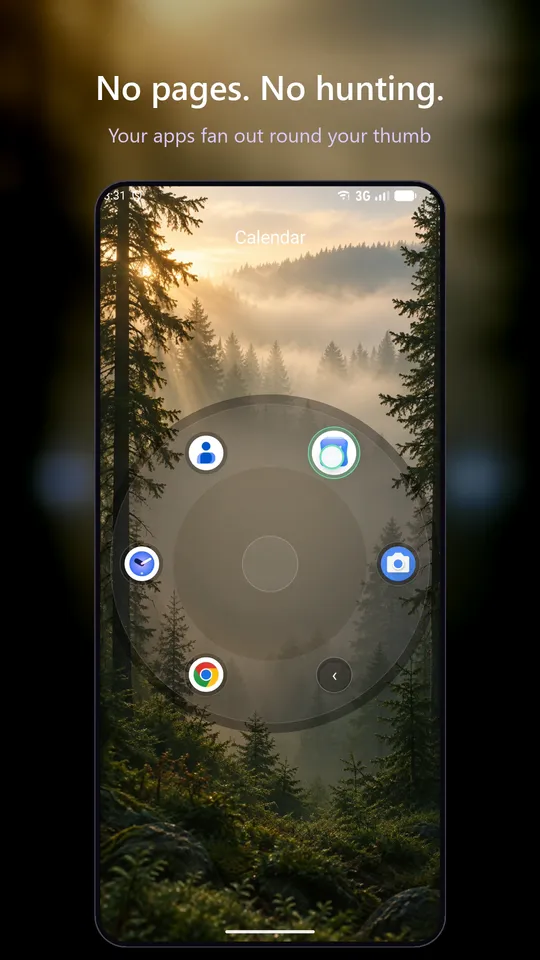
Roll round to your app and release. Back is always under your thumb.
Built for one thumb
Tell Radial which thumb you use, and the part of the dial under it stays clear. Flick back to open, or hold if you prefer.
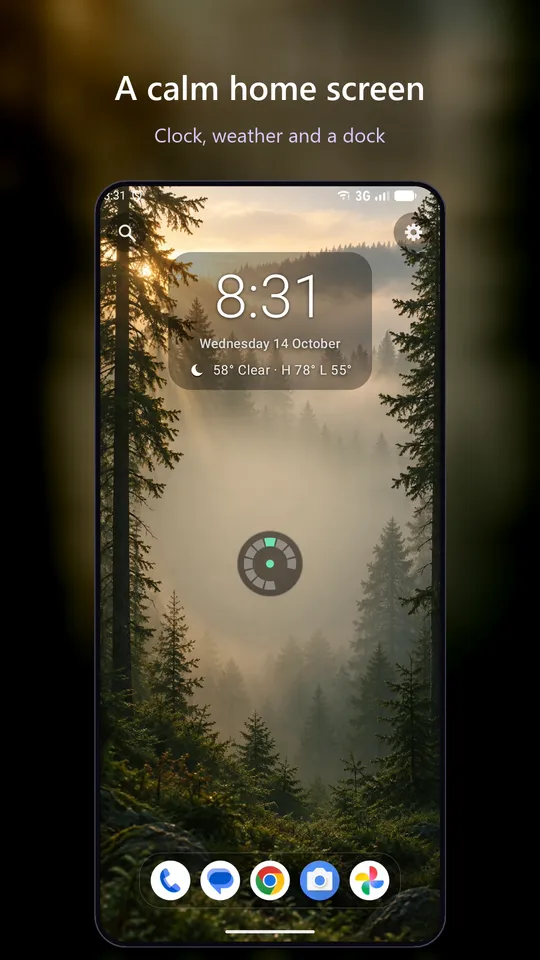
A home screen that stays calm
A clock in the style you like, the weather, your next event and what's playing sit above or below the dial. Notification dots show which apps need you, and nothing else asks for your attention.
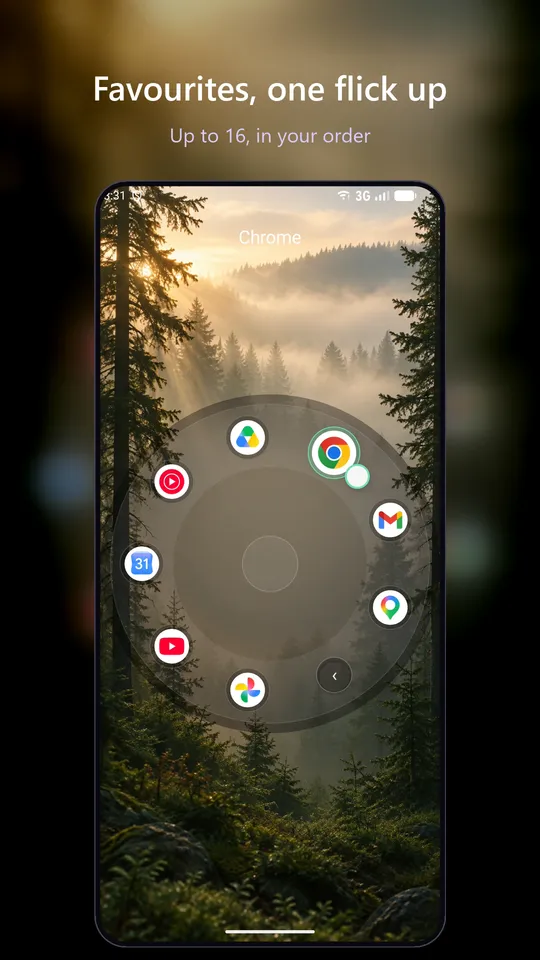
Your favourites, closer
Keep up to 16 favourites on two rings, or make them the whole dial and search for the rest. The dock holds your top apps, with 15 more a swipe up. Radial can fill them all from your most-used apps.
Work and personal, apart
Radial supports Android work profiles, with a Work panel a swipe away, and lets you hide the apps you'd rather not see.
A swipe for everything
Swipe down for your notifications, or set swipes left, right and down to open the apps you choose. Hold an app to jump straight to its shortcuts, like a new message.
Arranged your way
Rename categories, give them new icons and place each app exactly where you want it, with a live preview of the ring.
A closer look.
The letter dial, your favourites, satellites, the App wheel and every theme. Scroll sideways for more.
 Watch Radial in action on YouTube
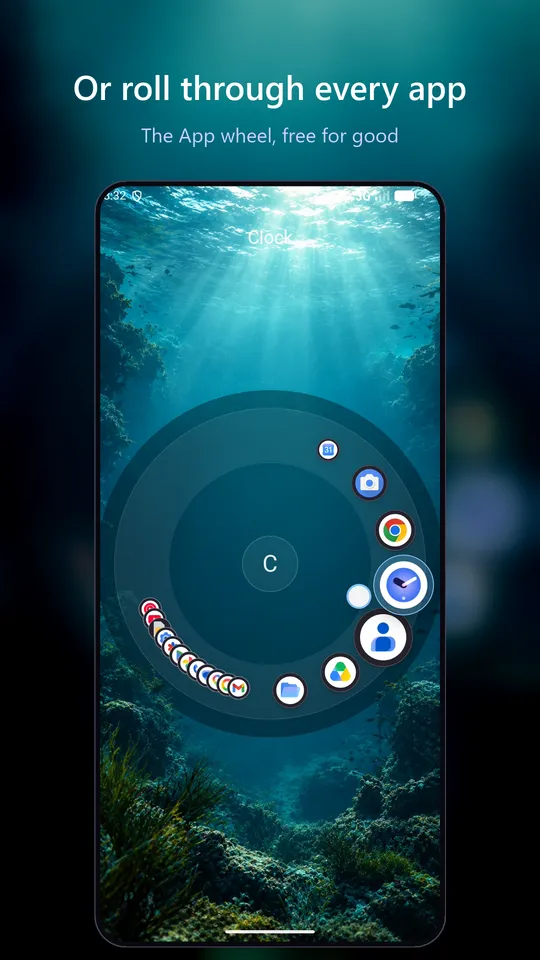
The App wheel: every app on one ring.
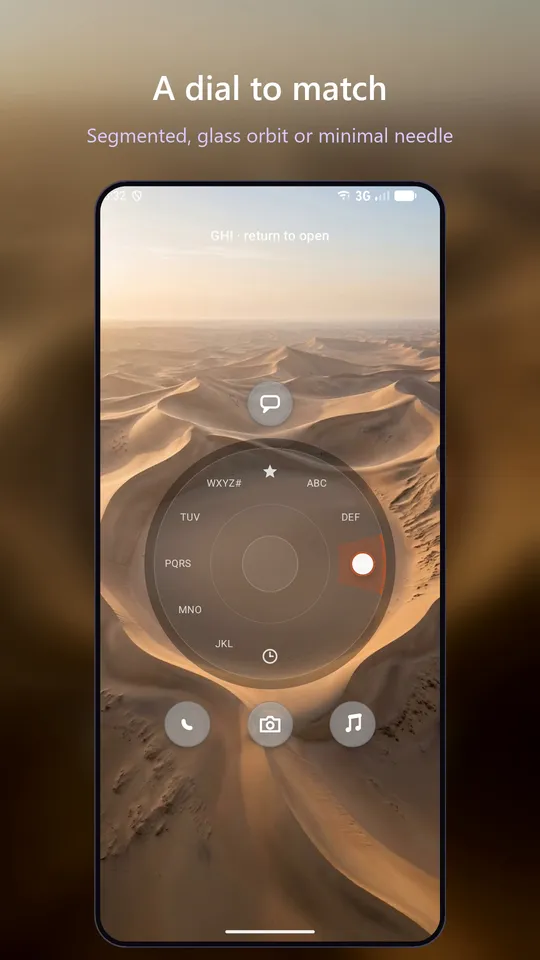
Point at a letter to jump there, then roll your thumb round the ring. Your apps deal past like a fanned deck of cards, with the one under your thumb named at the top. Lift to open it.
Apps with notifications come first. The App wheel and the letter dial shown at the top of this page are both part of Radial Lite, free to keep: use whichever suits your thumb.
Set up in about a minute.
A short guide walks you through the choices that matter: which thumb you use, how letter groups open, your theme, and what sits on the home screen. Then it takes you to the home screen to try the gesture.
Every choice can be changed later in Settings, and you can replay the guide any time.
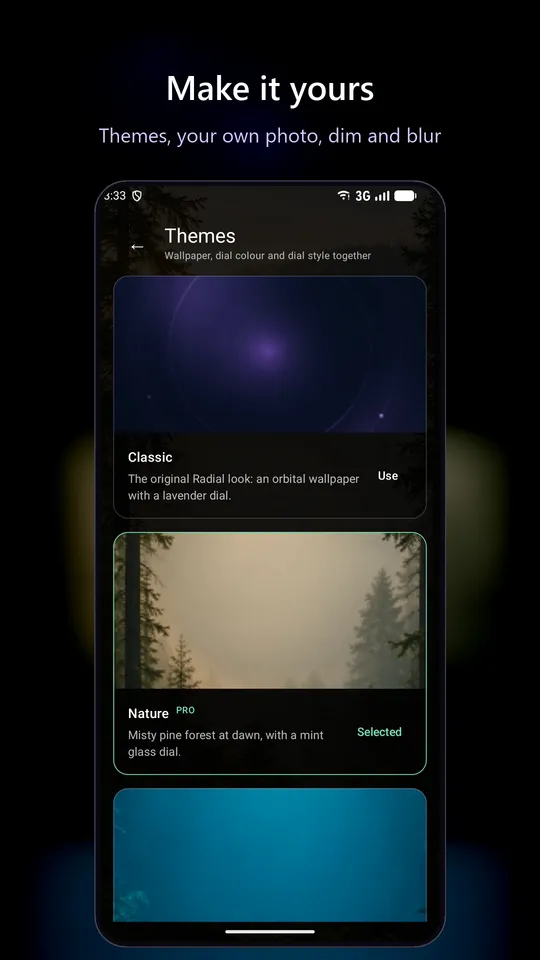
Six themes, each a complete look.
A theme sets the wallpaper, the dial colour and style, and the text colour together. Or use your own photo, with dim and blur.
ClassicFree NaturePro WaterPro IndustrialPro SpacePro DunesPro
Free to keep. Fair to upgrade.
Try everything free for 7 days. After that, Radial carries on free as Radial Lite, or you can upgrade to Pro. There are no ads either way.
Radial Lite
- The letter dial, with every setting: flick back or hold, two rings, roll or pages, and your thumb side
- The App wheel: every app on one ring, notifications first
- Search
- Hidden apps: take the ones you don't use off the dial
- Shortcuts, and an app's own shortcuts when you hold it
- Swipes: right, left and down open apps of your choice, or down opens your notifications
- The Classic theme and wallpaper
- Icon size, ring size, app names and the centre button
Radial Pro
- The Categories dial: apps grouped as Social, Games, Photos and more, renamed and arranged your way
- The Favourites dial: just your favourites, with search for everything else
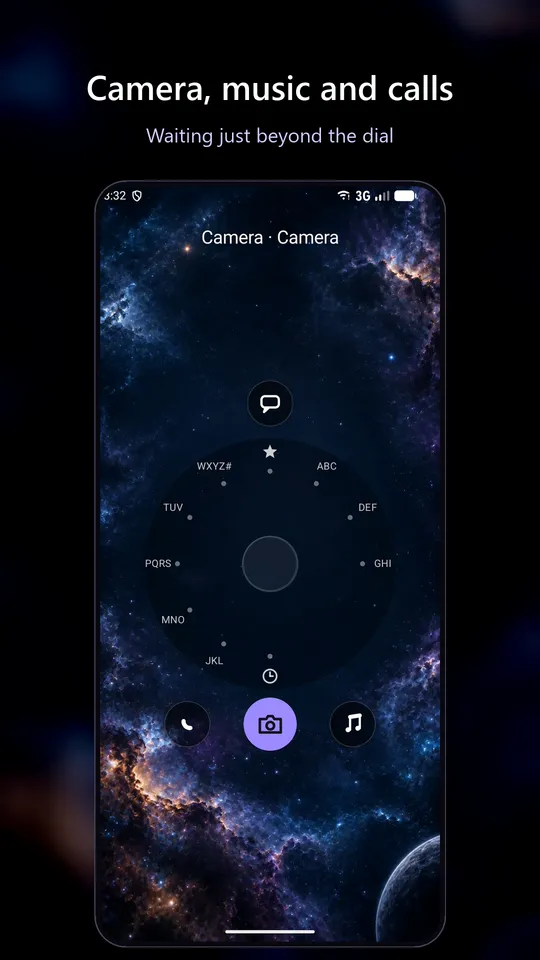
- Satellites: six shortcuts around any open dial
- Up to 16 favourites, a dock with 15 more apps a swipe up, and most-used fill
- Every theme, your own photo as wallpaper, dim and blur
- Dial styles, colours, backgrounds and ring patterns
- Clock styles and colours, weather and next-event widgets, music controls and a web search bar
- Social detox: hide and mute chosen apps for a set time
- The Work swipe: swipe left for your Work panel
Pay yearly (with a free week), monthly, or once for life. Prices are shown in your currency on Google Play before you buy.
Private by design.
Radial works on your phone. It has no accounts, no ads and no analytics of its own.
Stays on your phone
Your apps, settings, calendar, notifications and app usage never leave the device.
One optional exception
If you switch on the weather, Radial sends an approximate location, rounded to about 1 km, to MET Norway for the forecast.
Purchases through Google Play
Google handles payment. Radial never sees your payment details.
Questions.
How do I make Radial my home screen?
Open Radial after installing it. The setup guide asks Android to make Radial your default home app; say yes. You can also choose it later in your phone's Settings, under Apps, then Default apps, then Home app. The wording varies a little between phones.
How do I go back to my old launcher?
Pick it again in the same Settings page, under Default apps, then Home app, or uninstall Radial. Your previous launcher stays installed, so you can switch back at any time.
Is Radial free?
Yes. Radial is free to install and starts with 7 days of everything in Pro. After that it carries on free as Radial Lite, with both dials, search and hidden apps, or you can upgrade to Pro. There are no ads either way.
Which phones does it work on?
Android phones and tablets running Android 8.0 or later. Radial is designed for one-handed use, so it suits large phones especially well.
Does it work with a work profile?
Yes. Radial supports Android work profiles and keeps your work apps in their own Work panel.
What does Radial do with my data?
Your apps, settings, calendar, notifications and app usage stay on your phone. The one exception is optional: if you switch on the weather, Radial sends an approximate location to MET Norway for the forecast. Read the privacy policy.
A calmer home screen, one thumb away.
Radial is free on Google Play, with 7 days of everything in Pro to try. Questions or ideas? Write to hello@radial-launcher.com.